Mortal Shell II How to Find and Possess Shells
Fieldwork habits for dormant warriors before and after launch.
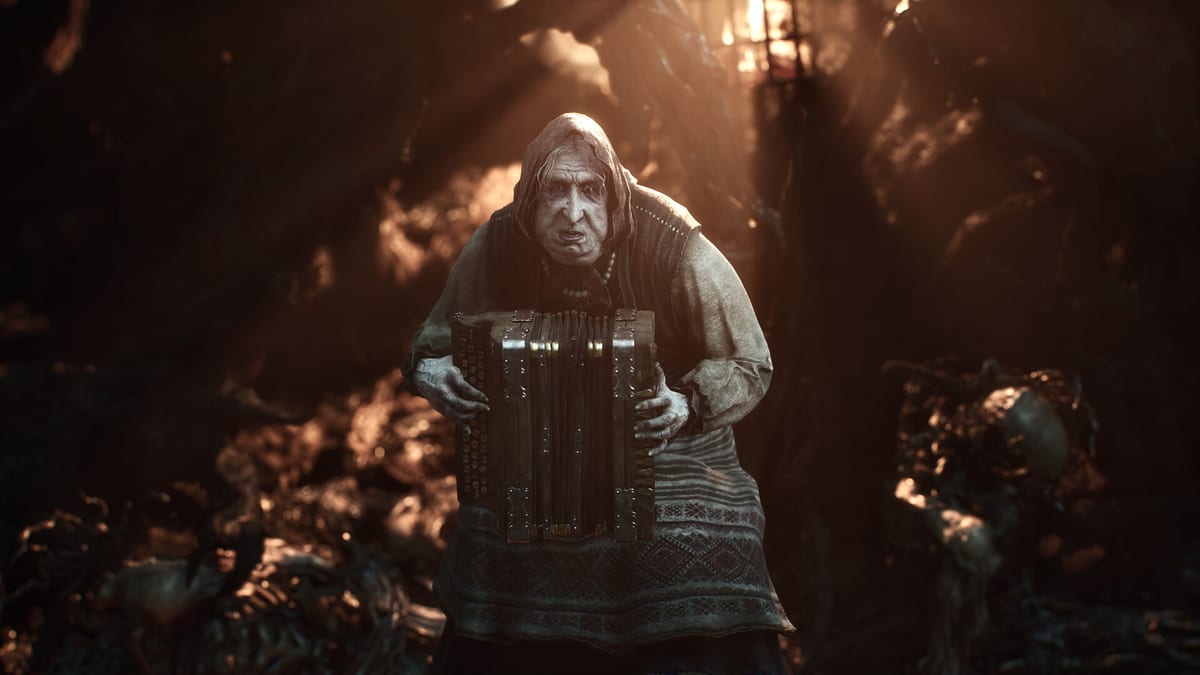
Shells are Mortal Shell II’s class system, story vessels, and exploration prizes in one package. Cold Symmetry places dormant warrior bodies in the world; when you find one, you awaken and possess it to unlock innate strengths, abilities, and lost memories. The full game markets eight playable Shells. Publicly confirmed names so far include Harros the Vassal, Tiel the Acolyte, Eredrim the Venerable, and Proxima the Broodseeker. This guide teaches search discipline—not invented roster spoilers.
Possession basics
You play as the Harbinger wearing Shells as living armor. Switching is fieldwork, not a pause-menu prestige track. When you spot a corpse posed like a set-piece, clear the area first. Harden through the last trash pack, then interact. After possession, spend a minute in a safe pocket testing light strings, Harden frames, and any unique tool before walking into the next elite. If combat still feels muddy, re-read the combat and Harden guide before hunting further.
Beta-focused hunting
In the Open Beta you should expect Harros in the prologue cadence and Tiel as a discoverable Shell in the early open region. Community notes often associate Tiel with Mushroom Village style spaces, but always verify against your build. Use the Open Beta guide for scope limits and the Tiel page after you secure him. Track ticks in the Shell checklist so optional corpses do not vanish from memory between sessions.
Full-game search habits
At launch, treat every major landmark—derelict temples, forbidden forests, icy graves, bone citadels—as Shell-suspicious. Marketing promises more than eighty dungeons; many will hide upgrades rather than whole Shells, so do not rage-quit a dungeon that “only” drops a weapon or Seal upgrade. When environmental storytelling mentions a warrior’s end, mark the thought and return with better Harden confidence. Pair exploration with the prologue walkthrough early, then branch outward.
How to avoid fake roster spoilers
Ignore social posts that list eight definitive names before Cold Symmetry confirms them. Cross-check the Shell roster, Harros, and Eredrim and Proxima overview on this wiki. Early power opinions belong on the Shell tier list with caveats. Loadout theory after you possess someone new sits in builds and loadouts.
Route planning with other guides
New players should still begin with Getting Started. Boss walls that block a Shell path belong in the boss guide. Controller comfort lives on controls. If you are deciding whether Devout Advanced Access is worth chasing a Shell three days early, read editions and pre-order.
Practical checklist while exploring
- Clear sightlines before interacting with a corpse.
- Note nearby beacons or shortcuts that make revisits cheap.
- Test the new Shell on trash before a landmark boss.
- Log the find in the Shell checklist.
- Revisit Getting Started if you feel overwhelmed by options.
Shell hunting is the sequel’s slow-burn reward loop. The world is compact on purpose so detours stay meaningful; let curiosity lead, but keep Harden honest so a side path does not become a corpse pile of your own.
Shell-hunting closing note
Mark corpses, clear the room, possess, then test—never the reverse order in a hostile pocket. When the full eight names finally appear in patch notes, extend the Shell checklist instead of trusting leak graphics. Until then, Harros, Tiel, Eredrim, and Proxima are enough of a map.
Frequently Asked Questions
Quick answers for launch week and the open beta.
How many Shells are in Mortal Shell II?
Eight playable Shells are marketed for the full game. Only some names are confirmed publicly so far.
Can I miss a Shell forever?
Treat them as world discoveries. If you walk past one, use beacons and notes to return later.
Which Shell appears in the Open Beta?
Harros frames the prologue; Tiel is the highlighted discoverable Shell in the early region.
Where should I track finds?
Use the Shell checklist tool and the Shells hub pages on this wiki.